Engineering Attention
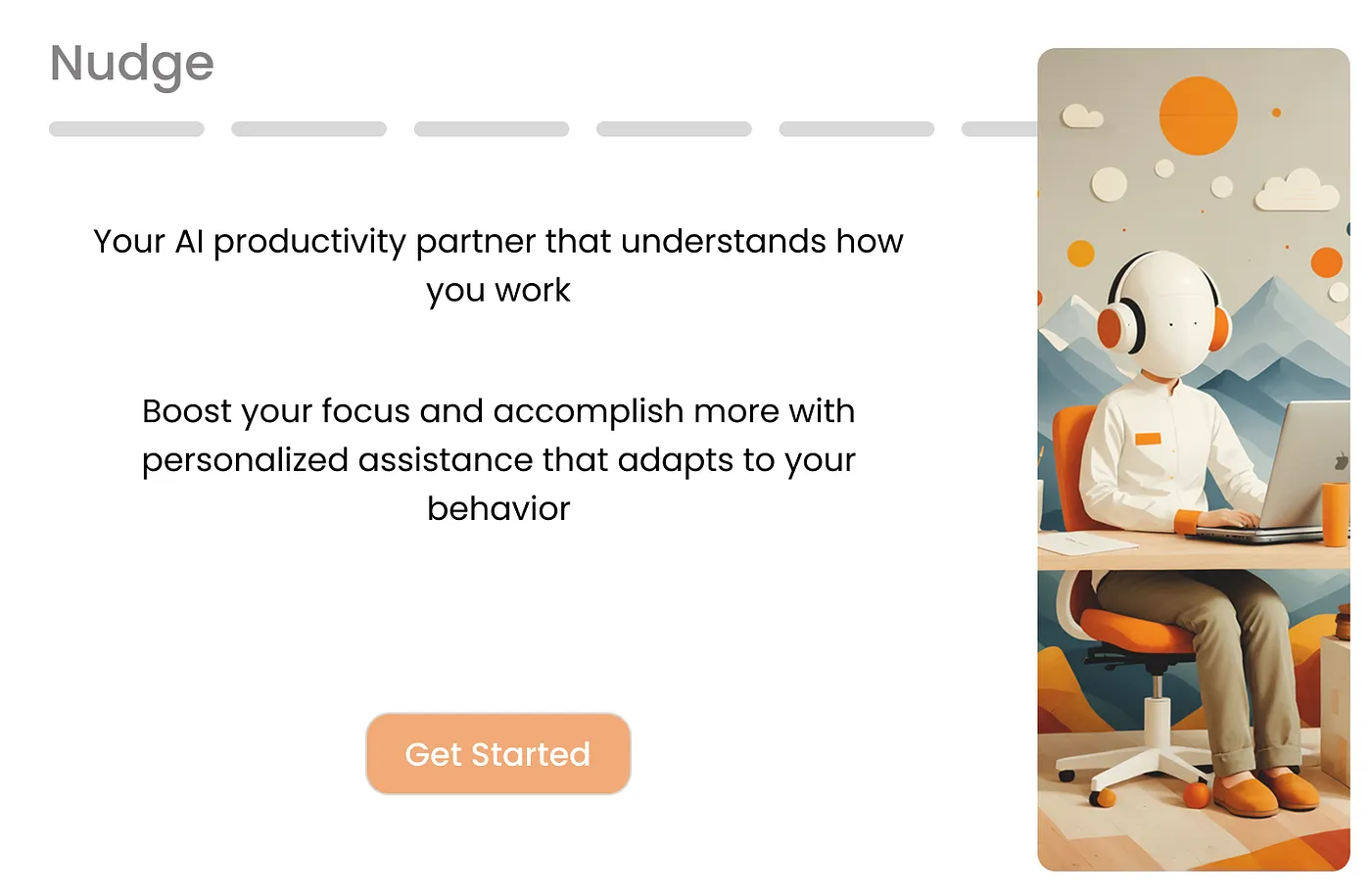
Spending hours exploring the tension between distraction and discipline in digital environments became more than just a creative investigation — it became a design challenge worth solving. I’ve been designing a system that uses AI and behavioral data to support users’ focus without compromising autonomy. The result is Nudge, a personalized productivity tool that adapts to user behavior and nudges them toward their goals.
Project Breakdown and Tools:
User Study: Qualtrics Surveys, Interviews Ideation: Sketches, Storyboards, Wireframes Designs and Prototyping: Figma Prototypes Testing: Figma
Problem Space and Initial Research
The starting point for this design project was identifying gaps in existing productivity tools. While AI assistants and task managers have seen increasing adoption, my initial survey (n=32) and literature review revealed a striking underuse of focus-oriented tools (7% adoption). This disconnect suggested a need for tools that don’t just manage tasks but actively foster focus in context aware ways.
I was particularly drawn to nudge theory and Self-Determination Theory, which informed my framework. A key takeaway was that tools should support user autonomy while offering just enough structure to guide better habits. This idea guided both feature design and system interactions.
User Study & Analysis
To ground the design in real user needs, I conducted a survey followed by short interviews. I found that users desired personalized tools that could integrate their existing routines — calendars, music, task managers — but also wanted help managing distractions without feeling micromanaged
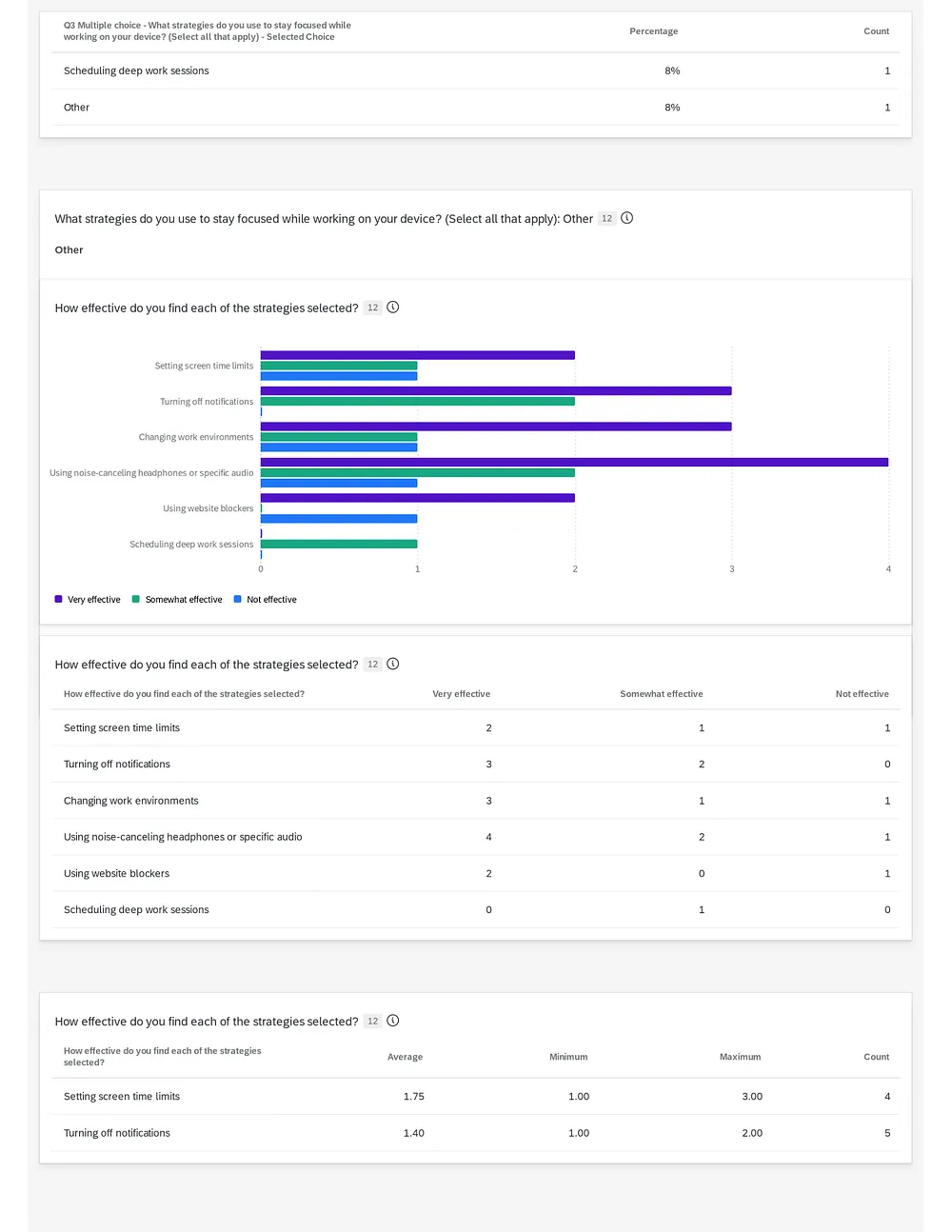

“I need a tool that takes my working pattern and deadlines into account then suggests ways I can stay on top of my tasks. I have a problem with being distracted by other tasks…”
Key findings:
- Users favored Pomodoro and time-blocking equally (40% each)
- Distraction sources: social media (93%), messaging apps (80%)
- Audio (instrumental, lo-fi) was commonly used to boost focus
Desired features: integrated music control, AI-recommended schedules, ambient reminders
Design Iterations
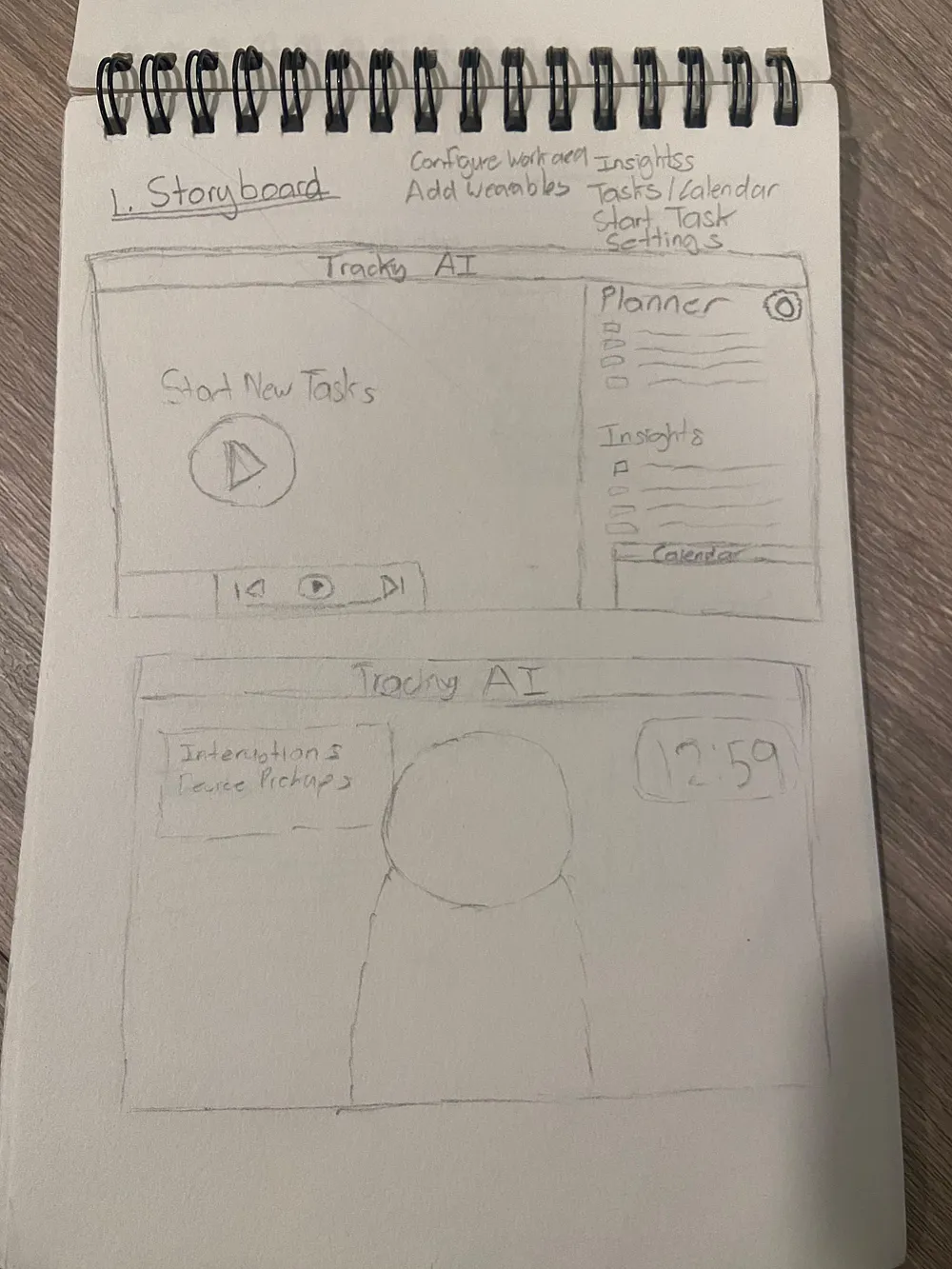
I began with low-fidelity sketches and user stories centered around task creation, focus mode, break suggestions, and distraction nudges which were the core components of the envisioned system. The key Activities in the storyboards were:
- Task Creation and Focus Strategy
- Begin Focus Mode
- Managing Distractions
- Music Recommendations
- Task Breaks and Completion
During the story board process I came up with scenarios and for each key activity and defined system prompts and user options/actions.
User Story 3: Managing Distractions
As a user, I want to receive reminders when I’m distracted so that I can refocus on my task.
If the user becomes inactive or shows signs of distraction: Prompt: “You have been distracted for a while. Try to remain focused on the task.” Options: [Pause Task] [End Task]
Prompt shown on wearable devices as well, allowing quick responses
If user repeatedly pause task or inactive for a period of time: Prompt: “Would you like to try deep breathing exercises” Prompt: “Suggests Another Task after a break”
These stories were shared with peers in the capstone meetings and the feedback received was incorporated in the wireframes.

Wireframe Development
Peer feedback led to insights around personalization and minimizing cognitive load. I iterated on these mockups to clarify interaction flows and began mapping the system prompts. The sketches matured into low-fidelity wireframes and were tested with classmates and capstone advisor.
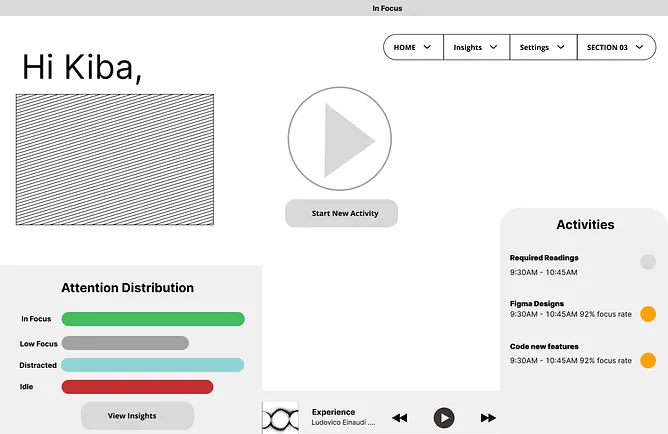
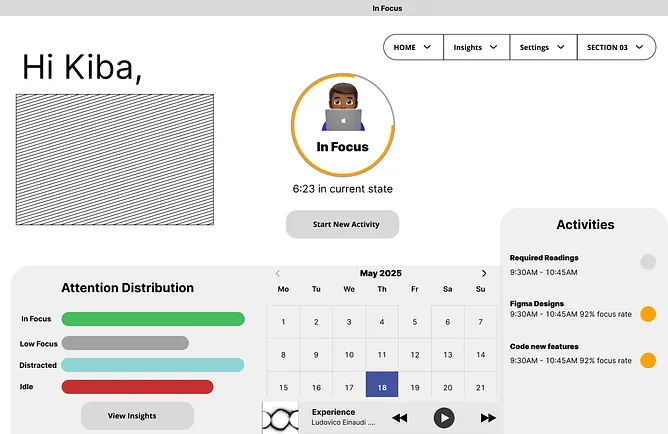

Link to wireframes: https://www.figma.com/design/N1rBd2nrEphSKe1JZrwaG3/Capstone-Project?node-id=0-1
The wireframes produced the most amount of discussions and feedback.
some of the key findings were:
- I had to navigate the tradeoff of having a minimalistic dashboard which was the initial idea but deal with the awkward empty spaces that would lead to.
- The home layout needed to be able to be customized to each user. Some users preferred and minimalistic workspace while some wanted a high level of features and complexity present
- The customization aspect led to the addition of widgets and draggable components in the final design
- The wireframes also led to the addition of user personalization features and settings to reduce activity creation time and the ability to have templates
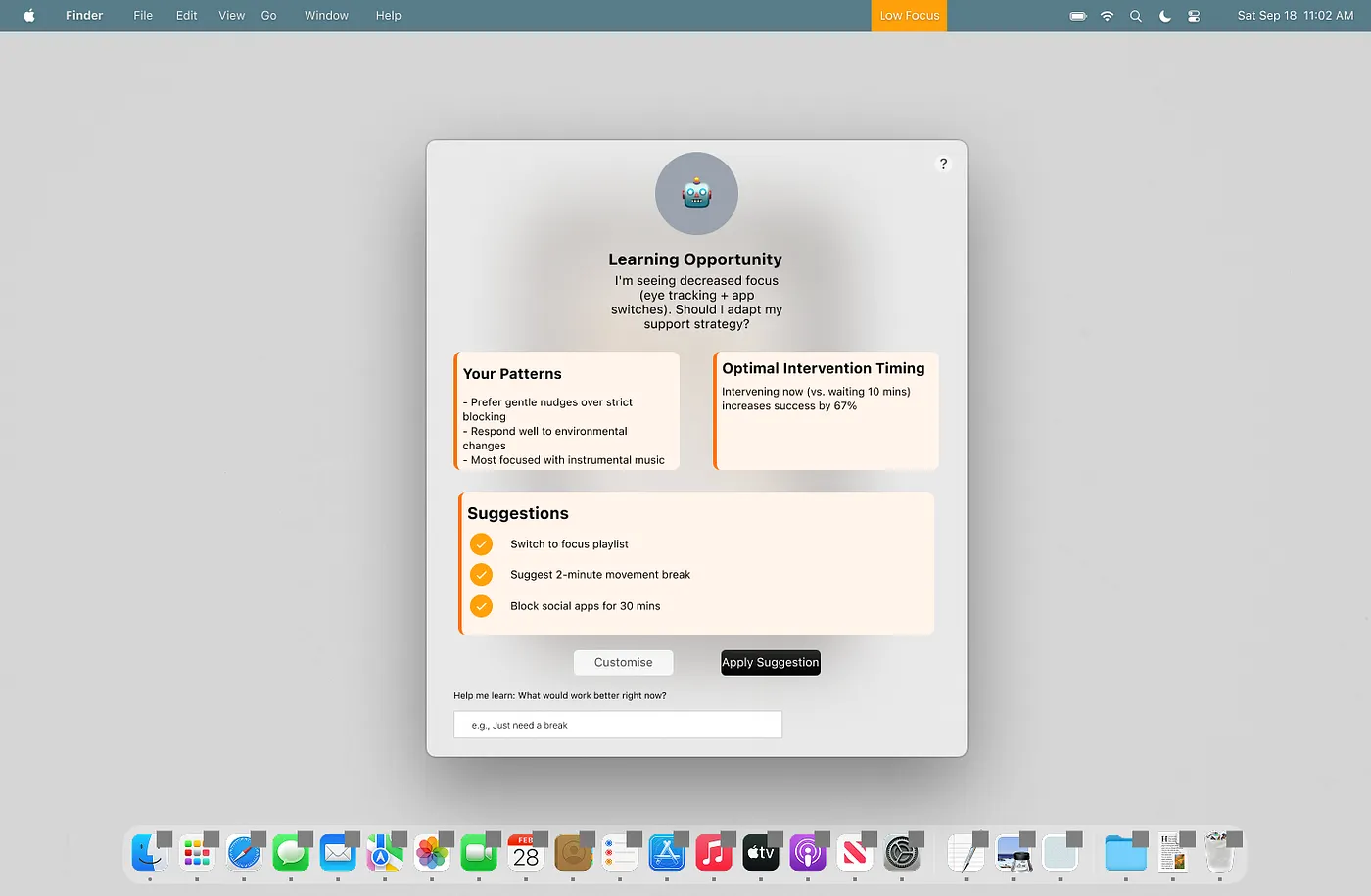
- Prototyping the activity creation and intervention screens also introduced the proactive intervention features. Feedback reveived stated they wanted the system to provide suggestions using hsitoric data. “You don’t typically complete tasks you attempt during this specific time block, do you want to try something else”.
High Fidelity Designs
Now armed with the refined flows and feature feedback, I developed a high-fidelity screens using Figma
Key elements include:
- Onboarding personalization: Users select focus styles, preferred audio, and tolerance for nudges. To deal with the cold start problem and to have a personalized system I designed a onboarding aspect to the system. During this process users would be able to add their productivity styles and device integrations. More details in the onboarding section
- Integrated dashboard: Task view with calendar, music, wearable data, and attention feedback. Each component on the home screen was moveable and can be organized in a free layout. This aspect was demonstrated with a icon on each card and also a minimize button to collapse components into a widget.
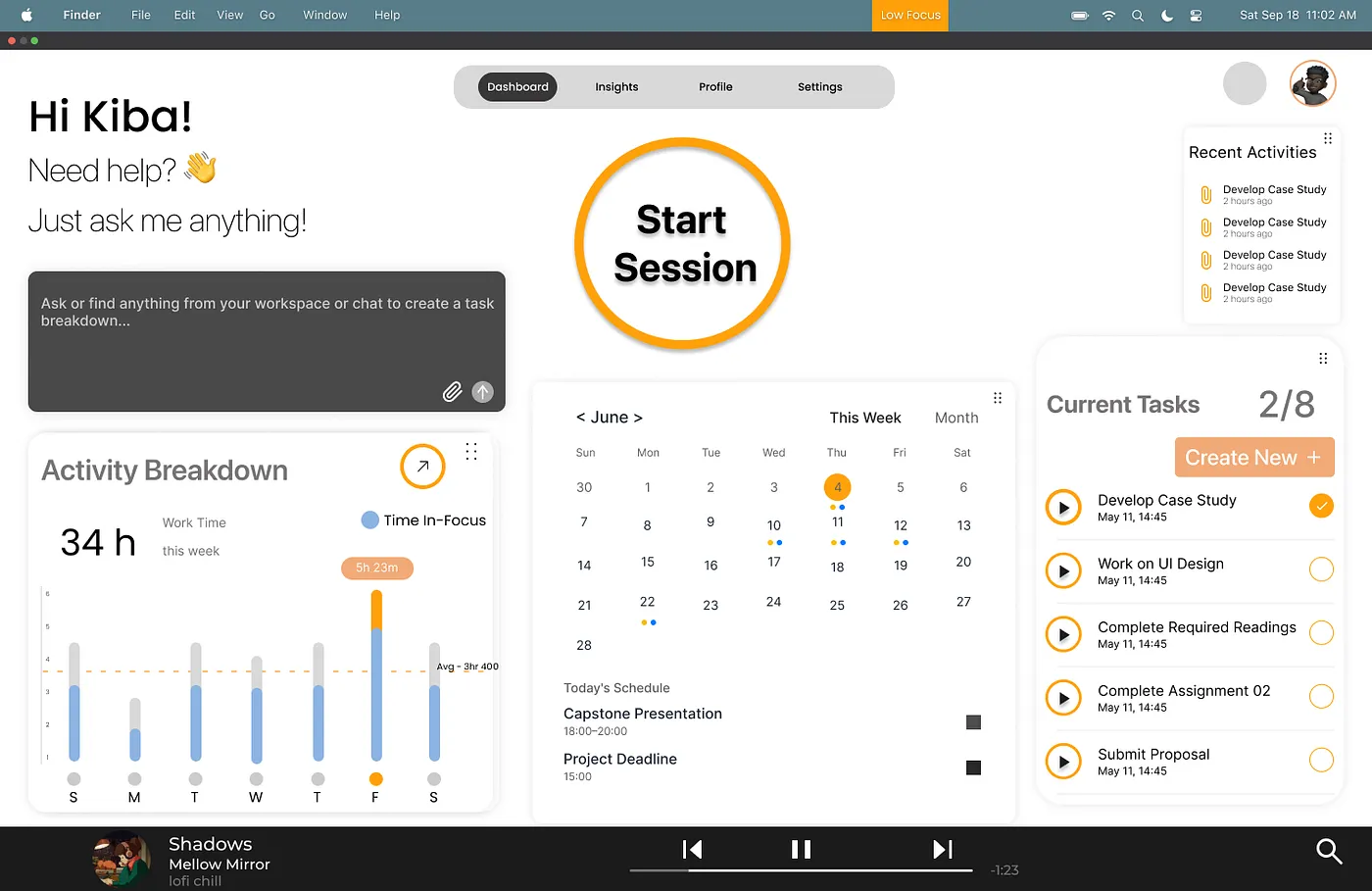
- Session setup wizard: AI recommended Pomodoro or deep work sessions, with music and app blocking. This phase also included more robust environmental calibration: camera tracking, screen tracking, and music syncing
- Nudges: Subtle prompts when distracted, emotional check-ins, and progress streaks. The interventions were designed to give users the options to reject the system suggestions and provide feedback on the quality of the suggestions.
System Architecture
Designing Nudge meant thinking beyond linear tasks. The system needed to anticipate, respond, and evolve with user behaviors. I structured interactions into layered phases — Setup, Session, and Reflection — anchored by continuous AI monitoring and adaptive feedback.
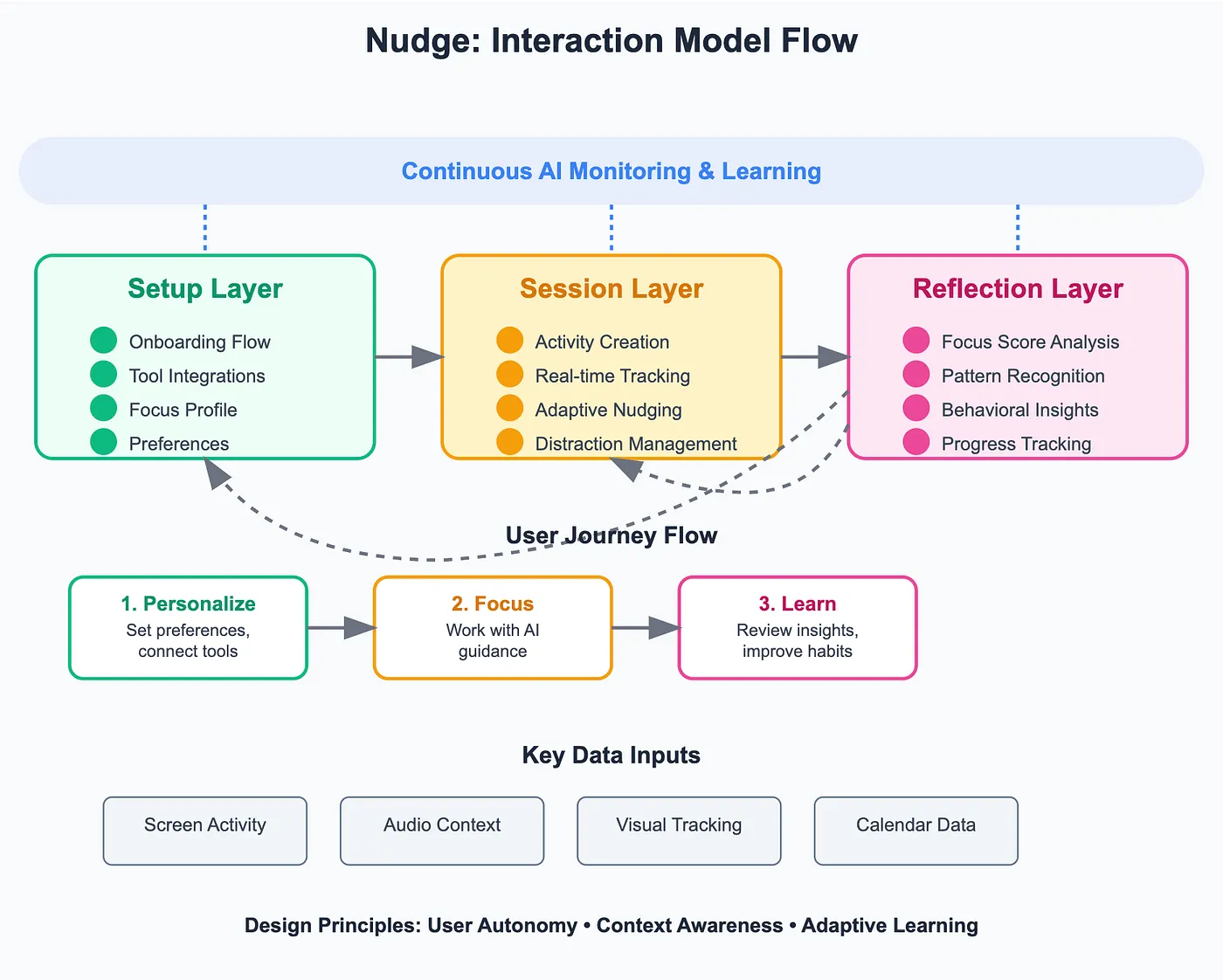
1. Setup Layer
- Onboarding Flow (covered in detail below)
- Integration with calendars, music services, wearables
- Focus profile: user selects Pomodoro, Time Blocking, or Deep Work strategies
- Audio and environmental preferences
2. Focus Session Layer
- Activity creation (task type, duration, focus mode)
- Distraction detection (camera/screen-based)
- Adaptive nudges (gentle reminders, music suggestions, session adjustments)
- Break scheduling and enforcement control
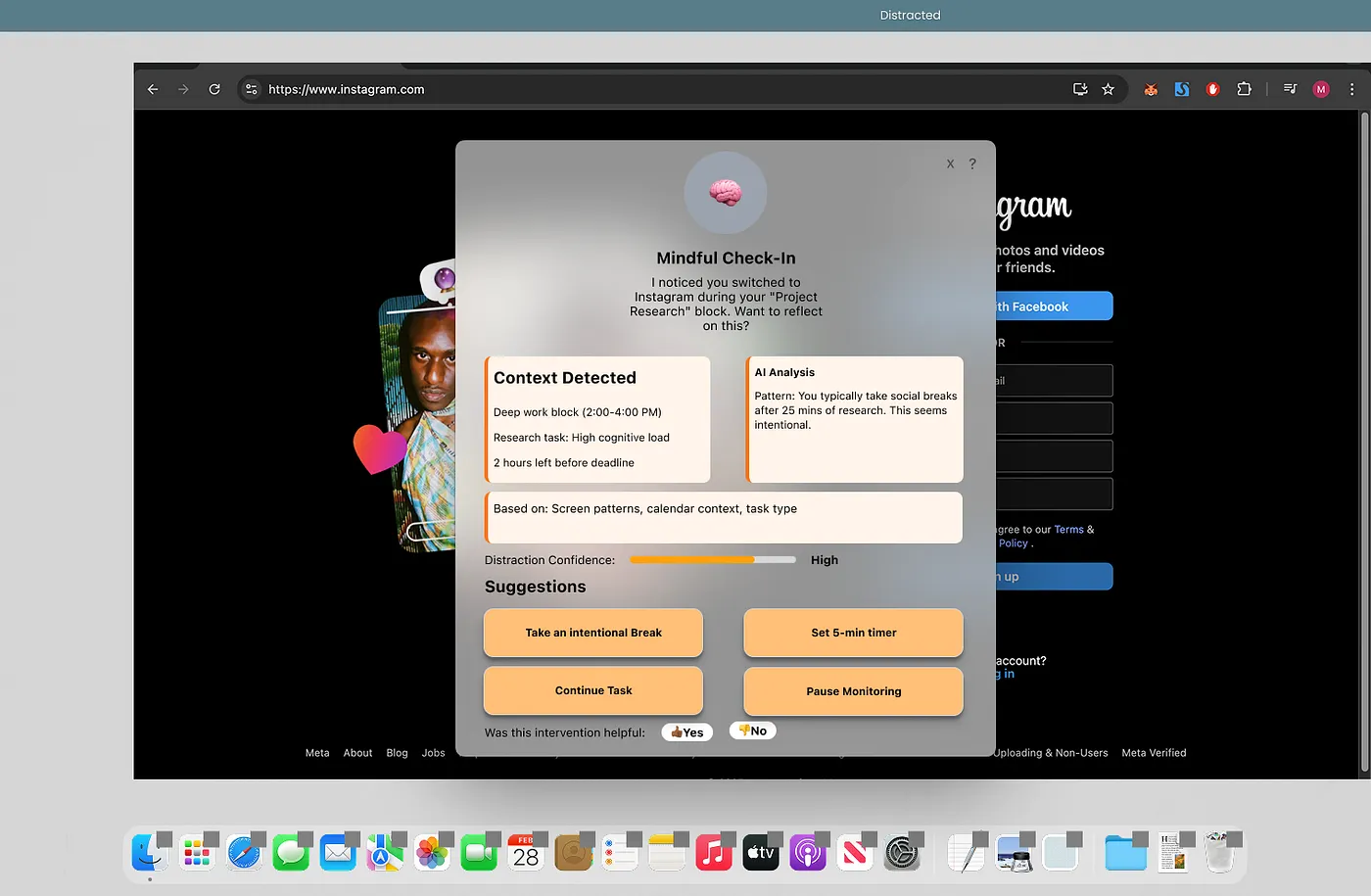
3. Post-Session Reflection Layer
- Focus score visualization and streak tracking
- Distraction breakdown (apps, attention shifts)
- Emotional check-in
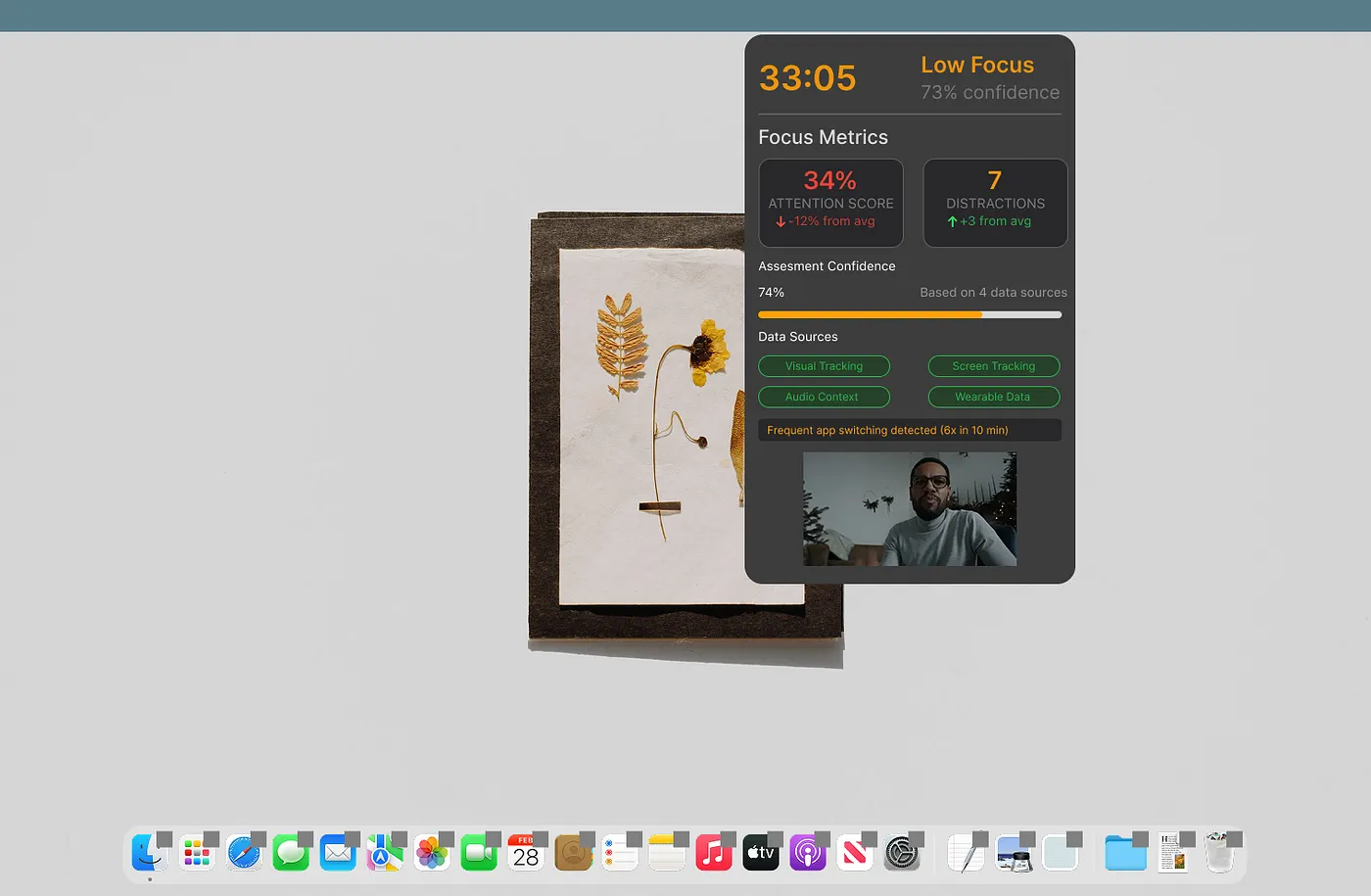
This interaction architecture ensured that every design element in Nudge was backed by purposeful functionality: tracking, recommending, and nudging without overwhelming.
Onboarding Flow: Building Trust Through Transparent Personalization
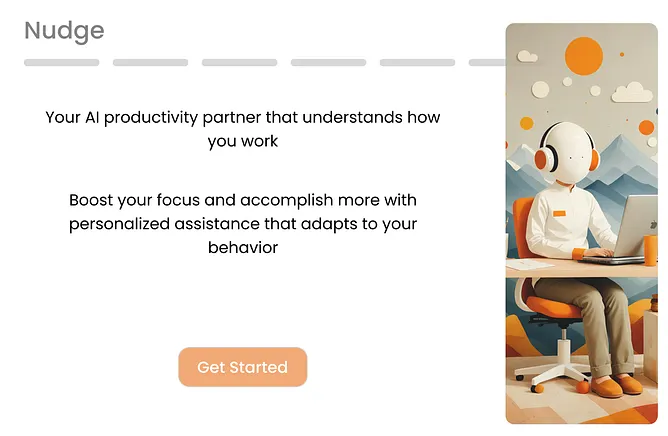
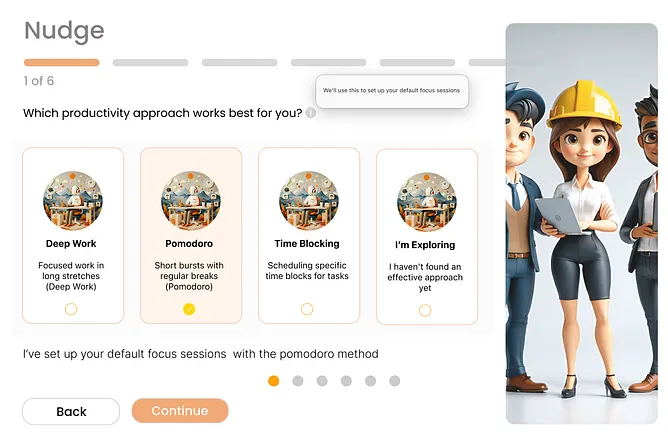
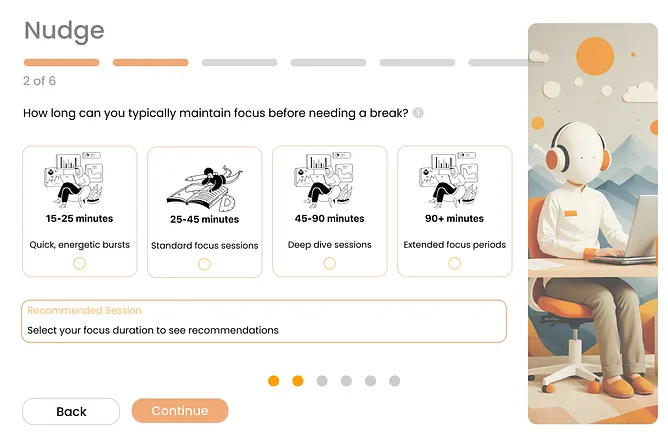
Designing the onboarding flow for Nudge required a balance between explanation and action. The goal was to help users feel empowered and understood before the system began intervening in their workflow.
Information Architecture
The flow follows a structured yet lightweight path:
- System Introduction — Clear, concise explanation of what Nudge does and how it operates
- Preference Collection — Key choices for focus style, audio preferences, break strategies, and session duration
- Permission Requests — Transparent, optional integration of camera, screen tracking, calendar, and Spotify
- Setup Confirmation — A progress celebration screen recapping selected preferences and showing readiness
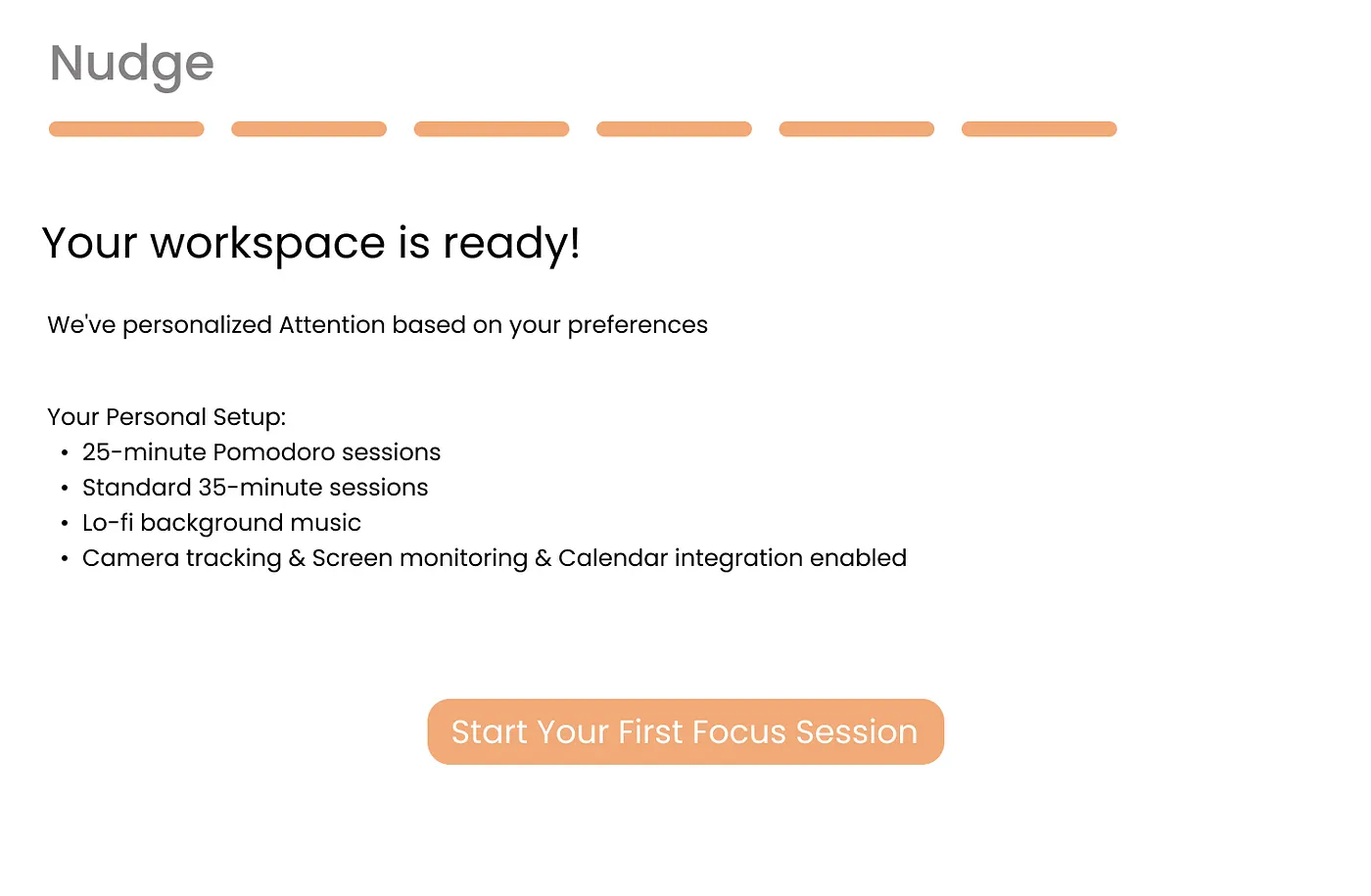
User Psychology: Motivating Adoption and Comfort
The onboarding flow was intentionally crafted to address psychological friction points:
- Build Trust: Front-loads clarity with a simple intro and visuals explaining data usage
- Provide Control: Users can opt out, choose “I’m exploring,” or fine-tune settings later
- Reduce Anxiety: Explains why permissions matter and how data remains local
- Create Investment: Choosing music, strategies, and visuals builds emotional buy-in
Next Steps:
- User Testing
Figma Designs
https://www.figma.com/design/N1rBd2nrEphSKe1JZrwaG3/Capstone-Project?node-id=2036-133